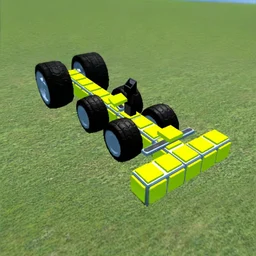
 Genius Mechanic
Genius Mechanic
Games similar to Genius Mechanic
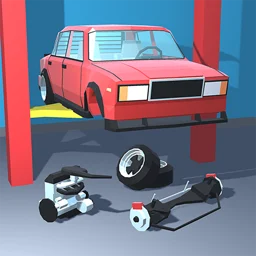 Retro GarageStrip, repair, paint and race classic 50s to 90s cars in a detailed garage sim.
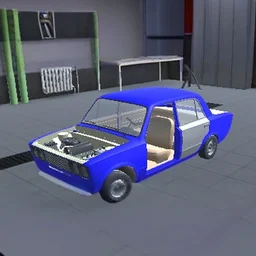 Taz Mechanic SimulatorBuild a car part by part from the frame up, then drive it on the test track.
 Junkyard SimDrive trucks, run shredders and smashers, then upgrade your scrapyard into a working operation.
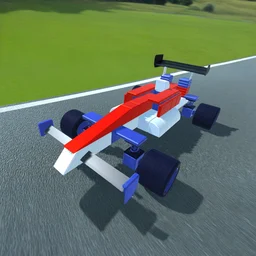 Genius Car 2Build a car part by part, then drive it to test the physics
 Build and CrushPlace blocks in BUILD mode, then smash other players' creations in CRUSH mode.
Genius Mechanic is a building sandbox where you assemble vehicles from scratch and watch your creation drive, roll or fall apart. There are no fixed blueprints. You decide where the wheels go, how the frame holds together, and whether your machine survives its first test run.
It is free to play in the browser, with nothing to install. Open this page, press play, and start bolting parts together.
Genius Mechanic at a glance
| Detail | Value |
|---|---|
| Genre | Simulation |
| Platform | Web browser (desktop & mobile) |
| Price | Free to play |
| Rating | 4.4/5 from 3,867 votes |
What is Genius Mechanic?
It is a 3D construction and physics game in the simulation genre, made by PS Games. The core loop is simple to describe and hard to master: pick parts, connect them into a working vehicle, then put your design to the test. Because the physics react to how you build, two players starting with the same pieces can end up with wildly different machines. Some hold together, some flip on the first bump, and figuring out why is most of the game.
Camera and building controls
Genius Mechanic is mouse-driven. You orbit and frame your build rather than steer a character, so most of your time is spent moving the camera to line up parts.
| Action | Desktop | Mobile |
|---|---|---|
| Rotate camera | Hold right mouse button | Drag with one finger |
| Move camera | Hold left Ctrl and drag | Drag with two fingers |
| Zoom in or out | Mouse wheel | Pinch |
| Place a part | Click to position | Tap to position |
Framing your build
Good camera work matters more than it sounds. Rotating to a side or top view before you attach a wheel or beam helps you line parts up cleanly. A part placed at a slight angle can throw off the balance of the whole vehicle once you run it.
Parts and what they do
You build from a small set of component types, and the trick is combining them so the result actually moves under its own weight.
| Part | Role in a build |
|---|---|
| Frame and beams | The skeleton that everything else attaches to |
| Wheels | Provide drive and contact with the ground |
| Blocks | Fill out the body and shift the weight balance |
| Joints | Connect pieces and decide how rigid the link is |
Is Genius Mechanic free and unblocked?
Yes. The game runs entirely in your browser, so it works at school or work wherever browser games are allowed. There is no download, no install, and no account. It also has an Android app on Google Play if you want it on a phone, but the browser version needs nothing extra.
Tips for building a vehicle that actually drives
- Start with a wide, low frame. A tall, narrow build tips over the moment it moves.
- Keep heavy blocks near the bottom and center so the weight does not pull your machine sideways.
- Put wheels on both sides evenly. An uneven axle makes the vehicle veer instead of going straight.
- Test early and often. It is faster to fix a small design than to rebuild a finished one that fails.
- Use the camera to check from above before testing, so you can spot a part that is off-center.
Why the building holds your attention
The fun is the gap between what you pictured and what the physics gives you. You think you have built a clean four-wheeler, hit test, and it cartwheels off the screen. The game rewards patience and small adjustments rather than one big idea, and that loop of tweak, test, tweak keeps pulling you back for one more attempt.
Get Genius Mechanic on your phone
Genius Mechanic also has a mobile app. Keep playing here, or get it from Google Play.